



Understanding how Yandex built its complete tech ecosystem explains the strategic brilliance behind Russia’s digital sovereignty. But if you’re actually considering switching from Google’s tools—or operating in markets where Yandex dominates—you need granular, practical comparisons of how individual products stack up in daily use.
The ecosystem advantage compounds when multiple services work together, but each product must still function effectively on its own. A brilliant integration strategy means nothing if the underlying tools can’t compete with established alternatives. This analysis examines five core product matchups where users face real switching decisions.
Yandex Maps vs Google Maps: When Local Knowledge Beats Global Coverage

The mapping comparison reveals something critical about localization that goes beyond simple feature lists. Google Maps offers unmatched global coverage and polish, but Yandex Maps demonstrates why regional dominance requires obsessive attention to ground truth.
Coverage and Accuracy Trade-offs
Google Maps excels across Western Europe and North America with comprehensive business listings, frequent updates, and reliable routing. For someone planning a road trip through California or navigating Paris, Google’s data quality remains unmatched. The service supports over 220 countries and processes billions of location queries daily.
Yandex Maps inverts this advantage in Russia, Belarus, Kazakhstan, and neighboring countries. The platform doesn’t just translate Google’s approach—it physically surveyed remote areas Google hasn’t prioritized. Rural routes, seasonal road conditions, and local shortcuts that drivers actually use appear in Yandex but remain absent from Google. For logistics companies operating across Siberia or Central Asia, this granular accuracy translates directly to fuel savings and delivery reliability.
Traffic Intelligence That Reflects Reality
Multiple logistics developers consistently report that Yandex provides more accurate real-time traffic data for Russian routes than Google. This advantage stems from higher local adoption rates—when more drivers use Yandex Navigator, the crowdsourced traffic data becomes more reliable. Google’s smaller Russian user base means sparser traffic reporting and less accurate arrival time predictions.
The practical implication: if you’re building transportation software for Eastern European markets, Yandex’s traffic algorithms will route vehicles more efficiently than Google’s. This isn’t about features—both offer traffic data—but about the quality and density of the underlying information.
The “Mirrors” Feature and User-Generated Content
Yandex Maps includes a distinctive feature called Mirrors—user-uploaded photo sequences that function like Street View but with different strengths. Pedestrians and drivers contribute dashcam footage and mobile phone captures, creating coverage in areas where Google’s Street View cars never visited. The interface shows the direction and field of view for each photo sequence, which proves valuable for geolocation research and route planning in less-documented areas.
Yandex Mail vs Gmail: Storage Philosophy and Ecosystem Integration

Email services have become infrastructure, and the comparison between Yandex Mail and Gmail reveals different approaches to storage limits and service integration.
Storage Models Reflect Different Priorities
Gmail provides 15 GB of free storage shared across Google Drive, Photos, and Mail. This unified approach encourages ecosystem adoption but creates storage pressure as users fill Drive with documents and Photos with images. Power users frequently hit the limit and face upgrade pressure.
Yandex Mail takes a different approach: 10 GB of dedicated email storage that doesn’t share limits with other services. For email-heavy users who don’t store many files in cloud storage, this separation provides clarity. The 10 GB dedicated to email often proves more useful than Gmail’s 15 GB shared pool when large document collections consume Drive space.
Built-in Translation Changes Workflow
Yandex Mail includes integrated translation that works directly within messages without copying text to a separate tool. For users who regularly correspond in multiple languages—common in international business or multilingual regions—this eliminates workflow friction. Gmail requires users to copy text, open Google Translate, paste, and return to compose responses.
The feature seems minor until you process dozens of multilingual emails daily. Then it becomes a meaningful productivity enhancement that reflects Yandex’s understanding of Russian business realities where multiple languages frequently coexist.
Security Considerations and Government Access
Both services offer two-factor authentication, encryption in transit, and spam filtering. The meaningful difference lies in jurisdiction and data access frameworks. Gmail operates under U.S. law enforcement cooperation agreements. Yandex operates under Russian legal jurisdiction. Neither approach offers absolute privacy, but they subject user data to different legal frameworks.
Users concerned about U.S. government surveillance might prefer Yandex. Users concerned about Russian government access prefer Gmail. Neither choice provides complete protection—cloud email inherently involves trusting a service provider. The decision requires evaluating which jurisdiction aligns with your threat model.
Yandex Browser vs Chrome: Chromium Foundation, Different Priorities
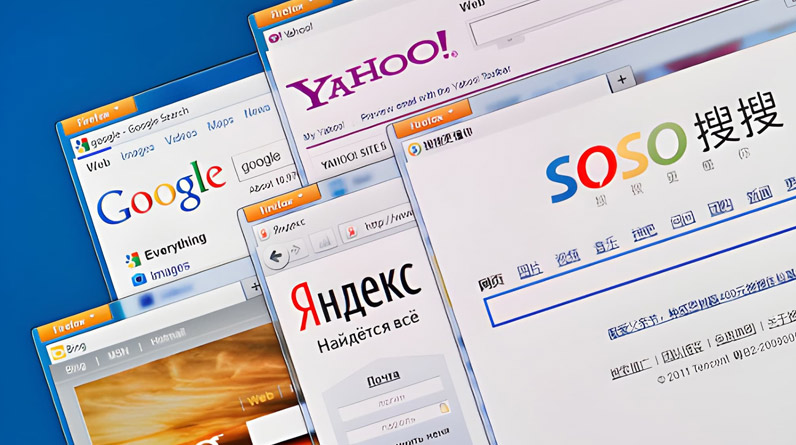
Both browsers build on Chromium, which means they share underlying architecture and support similar extensions. The differences emerge in the features each company adds on top of that foundation.
Turbo Mode and Connection Reality
Yandex Browser includes Turbo mode, which compresses web content for faster loading on slow connections. For users on mobile networks with limited bandwidth or in regions with inconsistent internet infrastructure, this feature provides tangible benefits. Pages load faster and consume less data.
Chrome lacks a comparable feature because Google’s primary markets tend to have reliable broadband. This reflects a development priority mismatch: Google optimizes for its core user base with fast connections, while Yandex accounts for infrastructure realities across its target regions.
Integrated Security with Kaspersky
Yandex Browser integrates Kaspersky anti-virus scanning directly into the download process. Every downloaded file gets checked before it reaches your computer. This proactive approach catches malware Chrome’s basic protections might miss. For less tech-savvy users or those downloading files from less-trusted sources, the added layer provides meaningful protection.
Chrome relies on Safe Browsing technology that warns about malicious sites but doesn’t include built-in virus scanning for downloads. Users must run separate antivirus software for comparable protection.
SmartBox and Search Integration
Yandex Browser’s SmartBox combines the address bar and search field with predictions that integrate weather, sports scores, and other content directly into the interface. This differs from Chrome’s omnibox by prioritizing information density over minimalism. Some users find this helpful; others consider it cluttered. The choice reflects design philosophy—Yandex prioritizes information access while Chrome emphasizes clean simplicity.
Extension Compatibility Reality
While Yandex Browser supports many Chrome extensions, some don’t function properly or aren’t available in Yandex’s extension store. This fragmentation affects users who rely on specialized extensions. The Chromium foundation provides broad compatibility, but not perfect parity. Check whether your critical extensions work before switching.
Yandex Disk vs Google Drive: Storage Economics and Photo Advantages
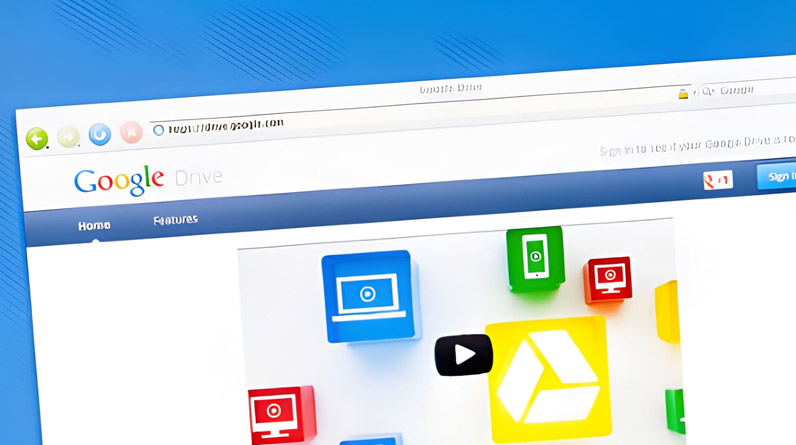
Cloud storage services compete primarily on price, capacity, and integration with other tools. Yandex Disk and Google Drive serve similar functions but with notable differences in their free tiers and photo storage.
Free Storage and Upgrade Paths
Google Drive offers 15 GB free storage shared across services. Yandex Disk provides 10 GB dedicated cloud storage. On surface metrics, Google appears more generous. But Yandex includes unlimited photo and video storage when uploaded via mobile app—photos don’t count against your 10 GB limit.
For users who take many photos but store fewer documents, Yandex’s approach provides more usable space. The unlimited photo storage particularly benefits travelers and photography enthusiasts who previously worried about filling their cloud allocation with images.
Version History and File Recovery
Both services maintain file version history, but with different retention periods. Google Drive keeps versions for 30 days on free accounts. Yandex Disk keeps versions for 14 days on free plans, extending to 90 days for paid subscribers. For collaborative work where reverting to previous versions matters, Google’s baseline retention provides more recovery window at no cost.
Integration Ecosystems Create Lock-in
Google Drive’s tight integration with Docs, Sheets, and Slides makes real-time collaboration seamless. Multiple users can simultaneously edit documents with changes appearing instantly. This workflow advantage keeps teams anchored to Google’s ecosystem even when competitors offer better storage pricing.
Yandex Disk integrates Microsoft Office Online tools instead of building proprietary alternatives. Users can edit Word, Excel, and PowerPoint files directly in the browser. For organizations already using Microsoft formats, this proves more compatible than Google’s conversion requirements. But it lacks the real-time multiplayer editing that makes Google Docs powerful for simultaneous collaboration.
Yandex Translate vs Google Translate: Language Pair Performance Varies Dramatically

Translation accuracy depends heavily on the specific language pair you’re translating. Aggregate comparisons miss this nuance—you need to evaluate performance for your specific use case.
Eastern European Language Superiority
Yandex Translate demonstrably outperforms Google Translate when working between English and Russian, Ukrainian, Turkish, or other Eastern European languages. Users consistently report more natural phrasing and better handling of idiomatic expressions. This advantage stems from Yandex’s focus on morphologically complex languages and its larger training corpus for these specific pairs.
A 2019 study found Google Translate achieved 82.5% accuracy across all tested phrases, but with dramatic variation by language—94% for Spanish, only 55% for Armenian. While no comparable academic study exists for Yandex, user reviews strongly indicate superior performance for Slavic language pairs and weaker results for Asian languages like Chinese and Korean.
When Google Translate Wins
For the majority of language pairs—particularly those involving widely spoken languages like Spanish, French, Mandarin, and Arabic—Google Translate’s broader training data and more sophisticated neural machine translation models produce better results. Google’s investment in language AI and its vast corpus of translated web content create advantages Yandex can’t match across 130+ languages.
The practical takeaway: if you’re translating English-Russian content, use Yandex. For most other language combinations, Google provides more reliable output. This isn’t about one tool being “better”—it’s about matching tools to use cases.
Offline Capabilities and API Pricing
Both services offer offline translation by downloading language packs. Google’s offline mode covers more languages with higher quality models. For travelers who need translation without mobile data, Google provides broader reliable coverage.
API pricing differs substantially. Google Translate charges $20 per million characters after a 500,000 character monthly free tier. Yandex charges $3.93 per million characters from the first character. For high-volume website translation or enterprise applications, Yandex’s lower per-unit cost provides significant savings. But Google’s free tier benefits smaller sites and occasional users.
The Switching Decision: Ecosystem Commitment vs. Tool Selection
These product comparisons reveal a pattern: Yandex tools excel in specific geographic markets and use cases but lack Google’s global polish and integration breadth. The decision to switch—or use both services in parallel—depends on where you operate and what you optimize for.
For users in Russia and neighboring countries, Yandex products often work better for local tasks while Google tools handle international work. Many people maintain accounts with both ecosystems, using Yandex for domestic activities and Google for global coordination. This hybrid approach maximizes strengths while avoiding each platform’s weaknesses.
Understanding how Yandex built its ecosystem to challenge Google provides strategic context. But daily tool selection requires evaluating specific products against your actual workflow needs. The ecosystem creates value when multiple services reinforce each other, but only if the underlying products meet your requirements.
The competition between these platforms ultimately benefits users by preventing monopolistic complacency. Whether you choose Yandex, Google, or selectively use both, understanding the practical differences helps you make informed decisions based on your specific circumstances rather than brand loyalty or geopolitical assumptions.