


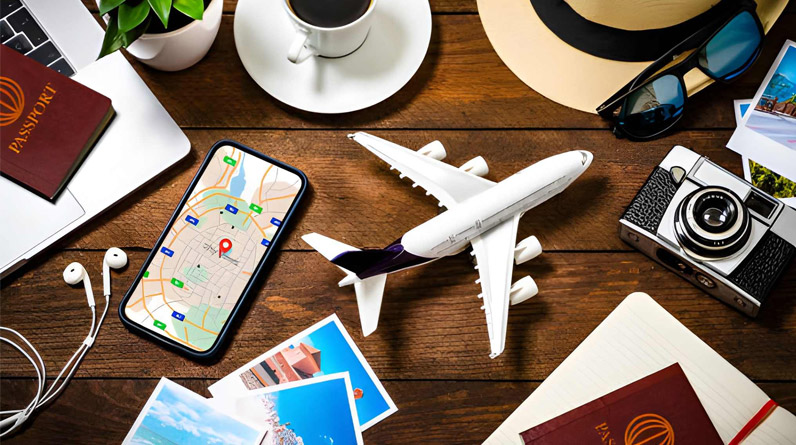
Your smartphone has become the ultimate travel companion, replacing guidebooks, phrase books, paper maps, and even your wallet in many destinations. But with millions of travel apps available, which ones actually deserve space on your home screen?
After analyzing countless app recommendations and testing dozens of options across multiple trips, the truth is simpler than most listicles suggest: you need fewer apps than you think, but the right ones make all the difference. This guide cuts through the noise to focus on apps that solve real travel problems, with specific attention to what works best for travelers based in the United States.
Navigation Apps That Actually Work Offline
Getting lost abroad used to be part of the adventure. Now it’s just annoying, especially when you’re dragging luggage through unfamiliar streets at midnight. Navigation apps have become non-negotiable travel tools, but not all mapping solutions are created equal.
Google Maps remains the gold standard for most travelers, and for good reason. Its strength lies in comprehensive business information, real-time traffic updates, and public transit integration in major cities worldwide. The offline map feature lets you download specific regions before you lose cell service, though these maps expire after 30 days. For US travelers accustomed to Google Maps at home, the interface familiarity alone makes it valuable abroad.
However, Google Maps has limitations in remote areas or developing countries where road coverage is sparse. Maps.me fills this gap beautifully, using OpenStreetMap data that’s often more detailed for hiking trails, rural roads, and off-the-beaten-path destinations. The app works entirely offline once you download regional maps, making it essential for adventure travel or areas with unreliable connectivity. Backpackers and outdoor enthusiasts consistently rate it higher than Google Maps for trail navigation and remote exploration.
Breaking Language Barriers Without Breaking Your Budget
Language barriers cause more travel anxiety than almost any other factor, but modern translation technology has largely solved this problem. Google Translate stands alone as the most practical translation app for travelers, combining multiple input methods that adapt to different situations.
The camera translation feature deserves special mention. Point your camera at a menu, street sign, or product label, and the app instantly overlays a translation in your language. This works offline for many language pairs if you download the language pack beforehand, making it invaluable in areas without reliable internet access. The conversation mode, which provides real-time speech translation, works surprisingly well for simple interactions at hotels, restaurants, and shops.
What many travelers don’t realize is that Google Translate’s offline capabilities extend beyond just text. Download a language pack over WiFi before your trip, and you’ll have access to text translation, camera translation, and even handwriting recognition without using any data. This single feature has saved countless travelers from confusion and frustration.
Related: Travel How to Travel More Often on a Budget
Money Management and Currency Apps
Currency confusion leads to two problems: overspending without realizing it and getting ripped off by vendors who assume you can’t do quick mental math. A reliable currency converter app eliminates both issues.
XE Currency Converter has earned its reputation as the most trusted currency app through consistent reliability and a clean interface. The ability to track multiple currencies simultaneously makes it perfect for multi-country trips, and the offline functionality means you can check rates even without internet access. The app updates rates when you’re connected, then caches them for offline use.
For US travelers specifically, understanding real-time exchange rates helps you spot bad deals quickly. Credit card companies typically offer better exchange rates than currency exchange kiosks, but many US travelers don’t realize they should decline dynamic currency conversion at point-of-sale terminals abroad. When a merchant offers to charge your card in dollars instead of local currency, always choose local currency to avoid inflated conversion fees.
Wise (formerly TransferWise) deserves mention for travelers who need to send money internationally or manage funds across multiple currencies. While not strictly a travel app, it offers mid-market exchange rates and lower fees than traditional banks, making it valuable for extended stays or frequent international travel.
Flight Search and Booking Essentials
Finding affordable flights requires patience and the right tools. Skyscanner remains the most comprehensive flight search engine, aggregating options from hundreds of airlines and booking sites. The “Search Everywhere” feature particularly appeals to flexible travelers, showing you the cheapest destinations from your home airport within a given timeframe.
What sets Skyscanner apart is its transparent approach to search results. Unlike some competitors, it doesn’t manipulate prices based on your search history or device type, and the interface clearly shows which booking sites offer the best prices for identical flights. The price alert feature tracks specific routes and notifies you when fares drop below your target price.
For US domestic travel, individual airline apps often provide better last-minute deals and seamless boarding pass management. American, Delta, United, and Southwest all offer mobile-only fare sales and the convenience of storing your boarding pass in a digital wallet. These apps also make rebooking during delays or cancellations significantly easier than dealing with gate agents.
Related: How to Find Cheap Flights Every Time
Accommodation Booking Beyond the Obvious
Booking.com has evolved beyond traditional hotel reservations to include apartments, hostels, and even unique stays that compete with Airbnb’s inventory. The platform’s strength lies in its flexible cancellation policies and loyalty program that rewards frequent bookers with discounts and perks like late checkout and room upgrades.
The mobile app often features “Mobile Only” prices that undercut the desktop website by a few dollars, making it worth booking through your phone even if you did your research on a computer. The messaging system lets you communicate directly with properties, useful for arranging early check-ins or asking specific questions about amenities.
Hostelworld remains essential for budget travelers and solo adventurers who want to meet other travelers. The app’s social features let you see who else is staying at your hostel and join group chats before arrival, facilitating connections in a way traditional hotel booking platforms don’t support.
The Apps You Probably Don’t Need
Here’s an uncomfortable truth that most travel app roundups won’t tell you: downloading too many apps creates more problems than it solves. Your phone’s storage fills up, battery drains faster, and you waste time deciding which app to use for each task.
You don’t need a dedicated packing list app when your phone’s notes app works perfectly fine. You don’t need multiple currency converters when one reliable option suffices. You definitely don’t need ten different photography apps when your phone’s native camera has improved dramatically in recent years.
Trip planning apps like TripIt serve a specific audience: frequent business travelers juggling multiple itineraries. For leisure travelers taking one or two trips per year, forwarding confirmation emails to TripIt and checking the app constantly adds complexity without real benefit. Your email inbox already contains every confirmation number you need.
Many travelers also overestimate how much they’ll use activity booking apps like GetYourGuide. While these platforms offer convenience, booking tours and tickets directly through attraction websites often provides better prices without third-party commissions. Save your phone storage and data for apps you’ll actually use daily.
Security and Connectivity Considerations

Public WiFi networks in airports, hotels, and cafes pose genuine security risks for travelers. A VPN encrypts your internet connection, protecting sensitive data like credit card information and passwords from potential hackers. ExpressVPN and NordVPN both offer reliable service, though they require paid subscriptions.
More importantly for US travelers, certain countries block access to familiar services. China famously restricts Google, Facebook, Instagram, and many Western news sites. A VPN lets you bypass these restrictions, maintaining access to your normal apps and websites. However, some countries prohibit VPN use, so research local laws before relying on this solution.
WhatsApp deserves special mention because it solves a problem many US travelers don’t anticipate. While Americans primarily use SMS and iMessage, much of the world relies on WhatsApp for communication. Hotels, tour operators, and even some businesses in Latin America, Europe, and Asia prefer WhatsApp for customer communication. Installing it before your trip ensures you won’t miss important messages from accommodations or tour providers.
The Battery and Data Reality
Running multiple apps throughout the day drains your battery faster than you might expect, especially when using GPS navigation or constant internet connectivity. Smart travelers download offline content whenever possible and carry a portable battery pack for peace of mind.
Data usage adds up quickly when streaming maps, translating menus, and checking flight updates. Most US phone plans offer international roaming, but the rates often shock travelers when they receive their bill. Purchasing a local SIM card or using an eSIM service typically costs less than relying on your carrier’s international plan for trips longer than a few days.
Before leaving home, download offline maps, translation language packs, and any other content you might need without internet access. This preparation ensures core functionality even when you’re between WiFi networks or in areas with poor cellular coverage.
Making Apps Work for You, Not Against You
The most successful travelers use apps strategically rather than compulsively. They plan routes in Google Maps during morning coffee over WiFi rather than draining battery with constant GPS tracking. They translate restaurant menus before entering, avoiding the awkwardness of pointing their phone camera at every line while servers wait. They check currency rates once or twice daily instead of converting every purchase in real time.
Organization matters too. Group related apps into folders on your home screen: one for navigation, one for communication, one for booking and reservations. This simple structure saves precious seconds when you’re standing in the rain trying to find your hotel’s address or contact number.
Consider which apps you’ll actually use multiple times daily versus which ones serve a single purpose. Google Translate and Google Maps earn their permanent spot on your home screen. That specialty app for finding vegetarian restaurants in Thailand can stay buried in your app drawer until you need it.
Bringing It All Together
The essential travel app collection is smaller than most guides suggest. Focus on navigation, translation, currency conversion, and whatever booking platforms suit your travel style. Everything else is optional, dependent on your specific trip and personal preferences.
Download and familiarize yourself with these apps before your trip, not at the airport when you’re already stressed. Test the offline features on your home turf. Practice translating signs in your own neighborhood. Get comfortable with the interfaces so using them abroad feels second nature.
Technology should enhance travel, not dominate it. The best moments often happen when you put your phone away and engage with the world around you. But when you need directions, translation help, or a quick currency conversion, having the right apps makes all the difference between fumbling frustration and confident navigation.